Imagine leaving port confident, with clear routes, reliable position fixes and alerts that help you avoid close calls before they happen. That feeling—less stress, more sailing—is what good Chartplotter Navigation delivers. Read on to learn practical, actionable steps that will make your next passage safer and more enjoyable.
Chartplotter Navigation 101: A Beginner’s Guide for Sailors
Chartplotter Navigation is the process of using an electronic chartplotter—combined with GNSS positioning, digital charts and onboard sensors—to navigate safely. If you are new to electronic navigation, the device can seem like magic: it shows your boat as an icon on a moving map and lets you plot waypoints and routes. But magic alone will not keep you safe. Understanding how the system works and how to use it in real life is essential.
What a Chartplotter Does (and What It Does Not)
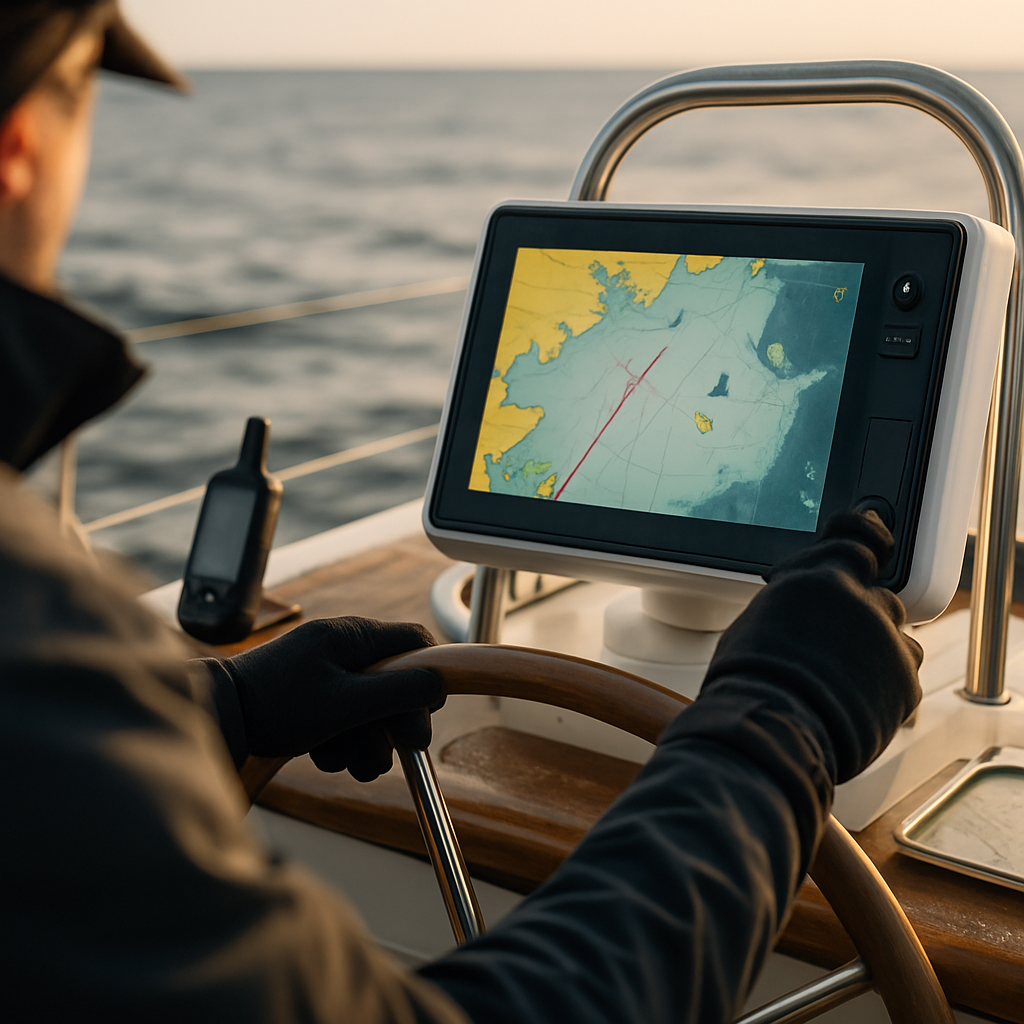
A chartplotter shows your real-time location on a chart frame and helps with route planning, cross-track monitoring and hazard warnings. It often integrates depth, speed, wind, radar and AIS data. However, it does not replace lookout, seamanship or basic navigation skills. It provides tools—your responsibility is to use them wisely.
Core Concepts You Should Know
- Position Fix: Your chartplotter receives signals from GPS, GLONASS or Galileo satellites to determine latitude and longitude.
- Charts: Vector charts (interactive elements) vs. raster charts (images of paper charts). Vector is preferred for layers and depth shading.
- Waypoints, Routes, Tracks: Waypoints are points of interest; routes connect waypoints into a planned course; tracks record where you have been.
- Scale & Orientation: Adjust zoom and choose North-Up or Heading-Up depending on the situation.
- Safety Alarms: Depth, anchor drag, AIS CPA/TCPA—configure these before leaving harbor.
How to Start Using a Chartplotter
Before casting off, take these steps: ensure GPS fix, load charts for the area, create waypoints for critical marks, and plan a route that respects safe depths and traffic separation. During the passage, glance frequently, verify instrument readings, and keep the helm sightline clear. Do not stare at the screen to the exclusion of the horizon.
Safety equipment and communication are crucial complements to Chartplotter Navigation; for instance, every skipper should know how and where to access an Emergency Flares Kit and should store it where it can be reached quickly. Beyond distress flares, a comprehensive review of Essential Sailing Equipment will reveal items that many crews overlook—spare plugs, proper fuses, and a well-maintained first-aid kit among them. And while electronics are central, being comfortable with radio procedures is equally important, so a refresher on VHF Radio Basics helps ensure clear, effective communications in an emergency or routine coordination with other vessels.
Choosing the Right Chartplotter: Essential Features for Tamtam Sailing Readers
Choosing a chartplotter is less about brand prestige and more about matching features to your cruising style. Whether you are coastal hopping or planning overnight passages, select a unit that offers the right balance of display, connectivity and durability.
Important Features to Prioritize
- Display Size & Legibility: Larger displays (9–16″) are easier to read at a glance. Aim for high brightness and anti-glare performance for daytime use.
- Chart Support & Updates: Ensure support for reliable chart providers in your region and a straightforward update method (Wi‑Fi, SD card, or Ethernet).
- Connectivity: NMEA 2000 for sensors, Ethernet for radar and camera, and Wi‑Fi/Bluetooth for mobile syncing and software updates.
- Controls: A touchscreen is intuitive, but physical knobs/buttons are invaluable when waves or gloves make touchscreens unreliable.
- Multifunction Integration: If you want radar overlay, sonar imaging, or engine data, confirm the unit supports those features in its ecosystem.
- Redundancy: Plan for backup: a secondary plotter, handheld GPS, or smartphone/tablet with marine charts.
Practical Buying Checklist
- Does it support the charts you need (vector/raster and provider)?
- Is it compatible with NMEA 2000 for sensor sharing?
- Can you update charts easily ashore via Wi‑Fi or SD card?
- Do controls remain usable with gloves and wet hands?
- Is the helm space sufficient for your chosen display size?
Budgeting Advice
Spend where it counts: display quality, connectivity and chart coverage. A mid-range unit with good networking will usually outperform a cheaper large-screen unit lacking sensor integration. Remember to budget for chart subscriptions, installation labor and cabling.
Chartplotter vs. Handheld GPS: Making the Right Onboard Choice
Both chartplotters and handheld GPS units are valuable. The wise sailor uses them together rather than choosing one as an exclusive solution.
Where Chartplotters Excel
- Large display for situational awareness at the helm
- Integration with sensors (radar, AIS, depth, autopilot)
- Advanced route planning and overlay features
Where Handheld GPS Units Shine
- Portability for shore landings, tending lines, or MOB retrieval
- Independent power source—useful if the boat’s electronics lose power
- Simple and quick for marking a position or navigating short legs
Recommended Setup
Use your chartplotter as the primary navigation tool while keeping a handheld GPS as a backup. Carry paper charts for critical areas and practice dead reckoning and compass bearings. Technology fails—good seamanship does not.
Integrating Chartplotters with Radar and AIS for Safer Voyages
The true power of Chartplotter Navigation is unlocked when radar and AIS are integrated. These overlays turn a static map into a living situational picture—especially useful in traffic, fog, or at night.
Why Integration Matters
- Radar Overlay: Shows radar returns on the chart so you can see objects that might not be on any chart (small unlit buoys, floating debris, or unregistered markers).
- AIS Targets: Displays vessel names, types, speed, course, CPA/TCPA and allows you to set automatic alarms for risky encounters.
- Combined View: With both overlayed, you can correlate radar echoes with AIS targets and determine whether a radar return is a vessel, a wave, or a fixed object.
Practical Integration Tips
- Antennas High and Clear: Place radar and AIS antennas as high as possible and free from obstructions for best detection range.
- Network Compatibility: Confirm that your chartplotter supports the radar and AIS interfaces (Ethernet, NMEA 2000, or IP).
- Tune Radar Settings: Adjust gain, sea clutter and rain clutter for current sea state to reduce false echoes.
- Filter AIS Targets: Use filters to avoid overload from small local craft or fishing fleets—focus alarms on targets with dangerous CPA.
- Train Ashore: Practice interpreting combined displays in safe conditions. Predictable training beats surprise at night.
Troubleshooting Chartplotters: Common Issues and Easy Fixes
Electronics can malfunction—usually at the worst possible time. Knowing a few troubleshooting steps will keep you calm and help you solve many problems without calling for professional help.
Blank or Black Screen
- Check power: inspect fuses, breakers and DC connections.
- Power-cycle the unit. Many problems resolve with a restart.
- If the screen remains blank, try a soft reset per the manual. Back up settings if a factory reset is required.
No GPS Fix or Poor Accuracy
- Ensure the antenna has an unobstructed view of the sky—masts, dodgers or radar domes can interfere.
- Check antenna cabling for corrosion or loose connectors; replace as necessary with marine-grade fittings.
- Software glitches sometimes confuse GNSS—reboot both chartplotter and antenna. Update firmware when ashore.
Charts Not Displaying Correctly
- Verify chart media is properly installed (SD card or internal storage).
- Ensure charts are unlocked and licensed. Reformatting a corrupted card and reloading charts usually fixes display issues.
- Keep charts updated; mismatches between chart data and software versions can cause odd behavior.
Frozen Interface or Unresponsive Controls
- Perform a soft reset first. If behavior persists, update firmware from the manufacturer’s official source.
- If the touchscreen fails in wet conditions, switches or rotary knobs (if available) can provide control until the issue is resolved.
Sensor Errors (Depth/Wind/Speed)
- Verify NMEA cabling and bus termination. Water intrusion or corroded connectors often cause intermittent data.
- Re-seat connections and replace any browned, brittle cables.
Radar or AIS Data Missing
- Check power to radar and AIS transceiver and confirm network settings (IP addresses and gateway) for Ethernet devices.
- Test AIS using a secondary receiver or app if available.
When electronic fixes fail at sea, revert to dead reckoning, bearings to known marks, visual navigation and radar-only operation. Maintain a paper log and keep the compass and handhelds available.
Pro Tips from Tamtam Sailing: Chartplotter Maintenance for Longevity
Electronics thrive on attention. Regular care keeps Chartplotter Navigation working reliably and reduces the chance of failure mid-voyage.
Regular Maintenance Tasks
- Update Firmware & Charts: Keep firmware and chart data current to avoid bugs and take advantage of feature improvements.
- Inspect Antennas & Cabling: Look for chafe, cracked insulation and corrosion. Replace with marine-grade parts when in doubt.
- Check Mountings & Ventilation: Tighten mounts and ensure vents are not blocked—overheating reduces service life.
- Seal Flush Mounts: Inspect silicone seals occasionally and re-seal if water is creeping in.
- Power Management: Use dedicated fused circuits, proper wire sizing and consider a small UPS or battery backup for critical transceivers.
- Professional Annual Check: Get a yearly check of network termination, radar alignment and filter settings by a qualified marine electrician.
Cleaning and Care
Use a soft microfiber cloth and a factory-recommended screen cleaner. Avoid solvents and abrasive pads. Dry controls and connectors after heavy rain or deck washdown to limit corrosion.
Pre-Departure Routine
- Power on and confirm GPS fix and correct time.
- Verify charts and waypoints for your planned route are present.
- Check depth, wind and speed sensors for reasonable values.
- Confirm AIS and radar overlays are functional if used.
- Ensure handheld backups are charged and paper charts onboard.
FAQ — Common Questions on Chartplotter Navigation
Frequently Asked Questions
What exactly is Chartplotter Navigation and how does it differ from traditional plotting?
Chartplotter Navigation combines GNSS position fixes with digital nautical charts to display the vessel’s position in real time. Unlike traditional paper plotting, the chartplotter automates coordinate conversion, provides live sensor overlays (depth, AIS, radar), logs tracks and enables quick route adjustments. However, traditional skills such as compass bearings and paper plotting remain essential as electronic systems can fail.
Do I need a chartplotter for coastal cruising?
A chartplotter is highly recommended for coastal cruising because it improves situational awareness and route planning efficiency. It is not a legal requirement in most areas, but the enhanced safety provided by integrated sensors, alarms and clear chart displays makes it an invaluable tool. Always keep backups such as handheld GPS units and paper charts.
How often should charts and firmware be updated?
Charts and firmware should be updated before any major cruise and at least annually. Critical Notices to Mariners may require more frequent chart updates. Firmware updates fix bugs and add features, but always back up settings before major updates and apply them while ashore where a stable power source is available.
Which features matter most when choosing a chartplotter?
Prioritize display quality, connectivity (NMEA 2000, Ethernet, Wi‑Fi), reliable chart provider support and ease of use in wet or rough conditions. Physical controls are valuable for heavy weather. Consider integration options for radar, AIS and sonar, and plan redundancy with a handheld or secondary display.
Can a smartphone or tablet replace a dedicated chartplotter?
Smartphones and tablets are excellent for planning and as backups, but they typically lack the ruggedness, screen visibility at the helm and deep sensor integration of dedicated chartplotters. Rely on them as secondary devices and not as the primary navigation instrument for critical passages.
What should I do if the chartplotter fails while underway?
If a chartplotter fails, immediately revert to basic navigation: use visual bearings, radar, compass headings and dead reckoning. Mark positions with handheld GPS and log fixes manually. Keep paper charts and pencils available and execute calm troubleshooting steps such as power cycling and checking fuses while maintaining safe watch.
How should radar and AIS be integrated to maximise safety?
Integrate radar and AIS so that radar returns and AIS targets can be overlaid on the chart. Place antennas high and unobstructed, configure radar gain and clutter filters, and set AIS CPA/TCPA alarms to reduce risk of close encounters. Training ashore on combined displays will make in‑sea interpretation more reliable.
How can I maintain my chartplotter to avoid failures?
Regular maintenance includes updating firmware and charts, inspecting and replacing corroded cables and connectors, sealing flush mounts to prevent moisture ingress, ensuring proper ventilation and power management, and scheduling an annual professional network check. Small preventive steps substantially reduce the chance of failure at sea.
Common Mistakes and How to Avoid Them
Even experienced sailors trip over the same issues. Here are common pitfalls and practical ways to avoid them.
Avoid Overreliance on Automation
Electronic convenience can breed complacency. Always maintain a visual lookout and confirm electronic data with visual bearings, radar and depth soundings. Use Chartplotter Navigation to inform decisions—not to make them for you.
Keep Chart Management Current
Outdated or mismatched charts are a major risk. Establish a routine for updates, and ensure chart coverage for new destinations before you depart.
Plan for Redundancy
Carry multiple navigation tools: a handheld GPS, a compass, paper charts and pencils. Redundancy matters most during critical phases—harbor approaches and night passages.
Mind Your Power Budget
Electronics draw significant current. For long passages, plan battery charging cycles, minimize non-essential loads and consider solar charging or a dedicated alternator if passages are frequent.
Summary and Next Steps
Chartplotter Navigation elevates safety, reduces stress and makes route planning more efficient—if you treat it as a tool and not a crutch. Learn the basics, choose the right hardware for your sailing style, integrate radar and AIS for better awareness, maintain your systems, and practice troubleshooting so you can respond calmly when problems arise. Always back up electronics with handhelds, paper charts and seamanship skills.
If you would like, explore Tamtam Sailing’s detailed gear guides and route suggestions next. Try a checklist exercise before your next cruise: update charts, test sensors, and run a simulated approach in calm conditions—small habits make a big difference at sea. Safe voyages and confident plotting.